Security Rules
Create custom security rules to protect your server
Security rules let you automatically react to server events. When an event matches your conditions, Electron can block it, punish the player, log to Discord, or trigger a custom event.
Opening the rules page
Open the Electron panel and go to Settings > Rules. From here you can search existing rules or create a new one with Add Rule +.

Creating a rule
Click Add Rule + to open the rule editor.
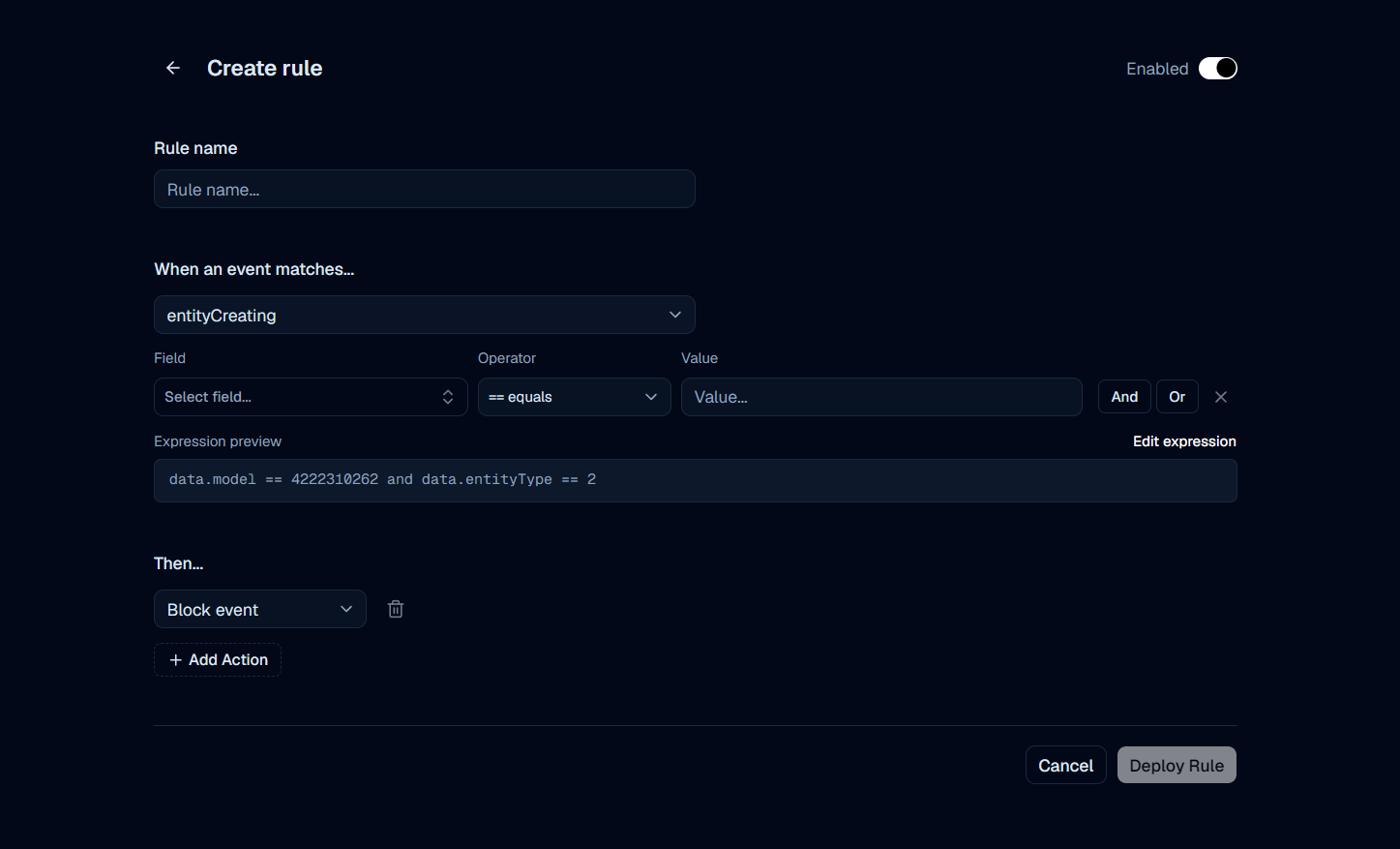
Configure the following fields:
- Enabled - Toggle whether the rule is active after you deploy it.
- Rule name - A clear name so you can find the rule later.
- When an event matches - The server event that should trigger the rule.
- Conditions - Optional filters on the event data (field, operator, and value).
- Then... - One or more actions to run when the rule matches.
When you are done, click Deploy Rule.
Choosing an event
Under When an event matches, select the event you want to watch.
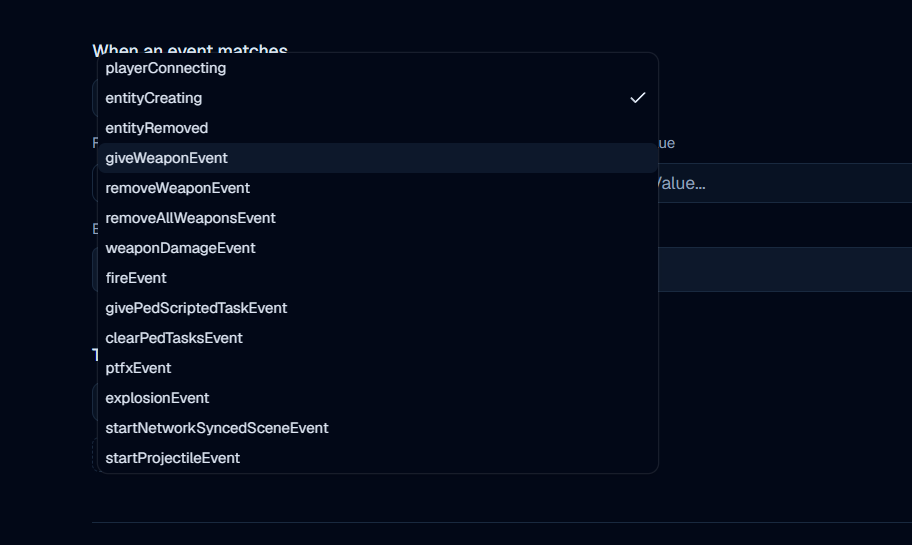
Available events include:
| Event | Typical use |
|---|---|
playerConnecting | Player join / connection checks |
entityCreating | Vehicles, peds, or objects being created |
entityRemoved | Entities being removed |
giveWeaponEvent | Weapons being given to a player |
removeWeaponEvent | A specific weapon being removed |
removeAllWeaponsEvent | All weapons being cleared |
weaponDamageEvent | Weapon damage being applied |
fireEvent | Fire-related network events |
givePedScriptedTaskEvent | Scripted ped tasks |
clearPedTasksEvent | Clearing ped tasks |
ptfxEvent | Particle effects |
explosionEvent | Explosions |
startNetworkSyncedSceneEvent | Synced scenes |
startProjectileEvent | Projectiles being started |
Adding conditions
Use conditions to narrow when the rule should fire. Each condition has:
- Field - The event property to check (for example
data.modelordata.entityType) - Operator - Comparison such as
== equals - Value - The value to match
Use And / Or to combine multiple conditions. The Expression preview shows the final logic Electron will evaluate, for example:
data.model == 4222310262 and data.entityType == 2If you need more control, click Edit expression to edit the expression directly.
Choosing actions
Under Then..., choose what should happen when the rule matches. You can add multiple actions with + Add Action.
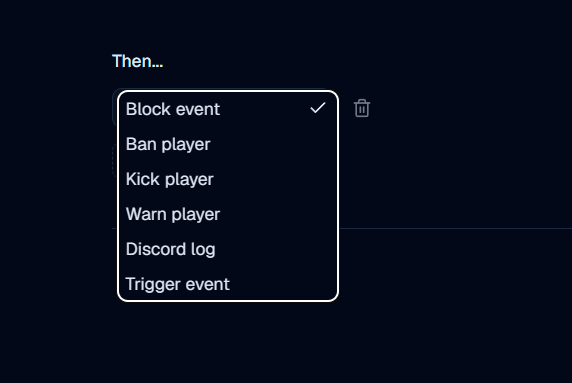
| Action | What it does |
|---|---|
| Block event | Stops the matched event from continuing |
| Ban player | Bans the player responsible for the event |
| Kick player | Kicks the player from the server |
| Warn player | Creates a warning for the player |
| Discord log | Sends a log message to Discord |
| Trigger event | Fires a custom event you can handle in your own scripts |
Example
A common setup is blocking creation of a specific vehicle model:
- Set the event to
entityCreating. - Add conditions for the model hash and entity type.
- Set the action to Block event.
- Keep Enabled on and click Deploy Rule.
Electron will then automatically block matching entityCreating events whenever those conditions are met.